

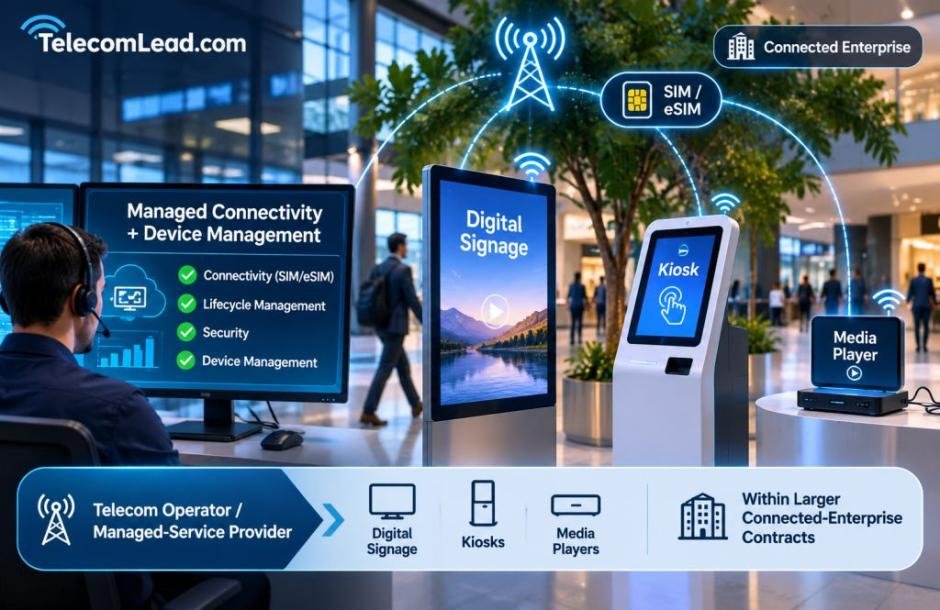
Telecom operators and managed-service providers often support digital signage, kiosks and media players within larger connected-enterprise contracts. In Ericsson Mobility Report research on enterprise mobility, surveyed enterprises named digital devices such as kiosks among the use cases that need lifecycle management, SIM or eSIM connectivity, and security. A provider that manages the connection is often asked to manage the device too.

Campaigns may arrive over the air, yet many screens still depend on a small card inside the media player that holds the operating system, caches artwork or provides a fallback playlist when connectivity drops. If screens at many sites stop playing after a content update, the problem can look like a network outage even when the fault began in local storage. For the operations center, that difference decides whether a ticket goes to network engineering, field service or the device vendor.
The answer is to test the whole path from content package to player, not to buy a faster card based on its label. A new card can fix a real storage bottleneck, but not a bad player image, insufficient RAM, a failing power supply, or software that keeps rewriting a cache.
Identify what the card actually does
Start with a representative player and map its storage workload. Does it boot from microSD? Does it write logs continuously? Are campaigns downloaded once and read repeatedly, or rewritten daily? What happens if the WAN or cellular connection fails during an update?
The answers separate three needs. Booting and app launches involve small random reads and writes. Downloading a large video file stresses sustained writing and free capacity. Playback mainly reads at the decoder’s bitrate. A single “up to” read-speed figure says little about the other two.
The SD Association’s Speed Class, UHS Speed Class and Video Speed Class marks specify minimum sequential write performance under defined conditions. A U3 or V30 mark is useful for a compatible write workload but does not guarantee smooth 4K signage playback. Measure the content bitrate, player behavior and host interface first.
Reproduce the failure on a bench
Take small groups of failed and healthy units from different sites, preserving their logs and content versions before reimaging. Test the cards for readability and capacity, then compare boot times, update duration, playback and temperature under the same workload. If failures cluster behind hot displays, measure enclosure temperature, not the room thermostat.
A useful pilot includes a cold start, repeated content updates, a disconnected-network interval, a power interruption during download and the busiest playlist. Record the player model, firmware, card part number, image version and result for every test.
Do not assume every black screen is a worn-out card. A corrupted filesystem may follow sudden power loss. Thermal throttling may affect the processor or network radio. An update can exceed free space even though the previous playlist played correctly.
Understand how updates reach the player
Updates are often a player’s heaviest storage events. Ask the vendor how updates are delivered, who applies them, whether the device stages a full image or a partial package, and how success can be confirmed remotely. NIST’s IR 8259 Revision 1 guidance for IoT product manufacturers says customers need information about update delivery, responsibility and verification to plan for support and security. Those answers determine how much free space a card needs, how often it is written, and what the service desk can verify without a site visit.
Choose a card for the workload, not the adjective
“Industrial” and “high endurance” are product categories, not interchangeable promises. Industrial cards may offer specified operating ranges, controlled components and longer availability. High-endurance consumer lines often target repeated video recording. Either may suit a signage design, depending on temperature, write volume, retention needs and qualification requirements.
Ask for the exact manufacturer part number, revision policy, operating-temperature specification, warranty terms and packaging options. If the player boots from microSD, check random as well as sequential performance. The SD Association’s A1 and A2 Application Performance Classes address random I/O, and A2’s gains depend on host support.
Capacity needs a measured margin. Add the operating system image, cache, largest planned update, temporary download files, logs and recovery space. If a platform writes temporary files before switching playlists, plan for the peak footprint, not the final package size.
For teams comparing 32GB options, Bulk Memory Cards’ 32GB microSD range lists standard, high-endurance, and industrial products. Use it for sourcing comparison after engineering has tested the required part numbers, and confirm stock and specifications for the actual order.
Qualify the supply chain as well as the card
A fleet refresh can fail in procurement even after lab tests pass. A purchase order reading only “32GB microSD U3” allows products with different controllers, write endurance and temperature limits. Put the approved manufacturer SKU and any accepted alternatives on the bill of materials, and require notice before substitutions.
Test a sample from the production lot, not just the engineering sample. Check true capacity and read/write behavior with a full-media test before mass imaging. Then write and verify the image, record the lot and keep samples for diagnosis. Confirm that bulk trays protect against electrostatic damage and fit the provisioning workflow.
Roll out in stages across the service footprint
Plan the rollout like a network change. Begin with sites representing different temperatures, enclosure designs and connection types, including players on cellular backhaul, where a failed update may repeat a large download. Schedule swaps in agreed maintenance windows so the operations center knows which devices changed.
Monitor update success, reboot counts and playback errors across a full content cycle. Expand only after the pilot meets written acceptance criteria, and keep a tested rollback image and spare cards ready.
Add storage to the service dashboard
Once the fleet is stable, treat local storage as a monitored component. Capture free space, filesystem errors, update failures and restart counts if the platform exposes them. Set an alert before free space becomes critical, and test recovery from interrupted downloads. Record the card part number and image version in the device inventory, so support staff can distinguish hardware cohorts.
Connected screens still have local failure points that the network team should not diagnose blind. A workload-based card specification, a capacity check and a staged deployment make the next content update a routine service event rather than a fleet-wide troubleshooting exercise.